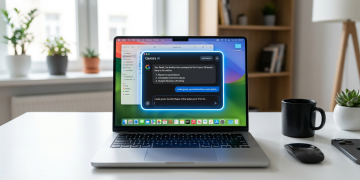






Google was the last of the three major AI companies to bring its chatbot to the Mac desktop, and on Wednesday, it finally closed that gap. The company launched a native Gemini app for Mac, giving users direct access to its AI assistant without opening a browser tab for the first time.
- Google was the last of the three major AI companies to bring its chatbot to the Mac desktop, and on...
- The company launched a native Gemini app for Mac, giving users direct access to its AI assistant without opening a...
- Gemini is the last of the three major AI services to have a dedicated Mac app, because OpenAI and Anthropic...
- “Whether you’re drafting a market report and need to verify a date or building a budget in a spreadsheet and...
Keep reading for the full breakdown on download Gemini Mac app macOS 15 — everything you need to know is covered below.
Gemini is the last of the three major AI services to have a dedicated Mac app, because OpenAI and Anthropic have had Mac apps for quite some time. The move positions Google’s Gemini more aggressively against rivals on one of the world’s most widely used professional computing platforms.
Gemini for Mac runs natively and stays out of your way
Google describes the Gemini app as a “native desktop experience, designed to live right where you work,” built to stay just a keyboard shortcut away so users can get help without losing focus.
“Now, you can bring up Gemini from anywhere on your Mac with a quick shortcut (Option + Space) to get help instantly, without ever switching tabs,” Google explained in its blog post. “Whether you’re drafting a market report and need to verify a date or building a budget in a spreadsheet and need the right formula, you can get an answer and get right back to work.”
The app also supports a second shortcut, Option + Shift + Space, for opening the full Gemini chat window, accessible from both the menu bar and the application dock.
Google’s Josh Woodward confirmed on social media that the team “built 100+ features in less than 100 days,” and that the app is “100% native Swift.”
Screen sharing and file analysis built into the Gemini Mac app
Any window on the Mac can be shared with Gemini, allowing it to provide contextual assistance on anything the user is looking at. After activating Gemini, selecting the Share Window option lets Gemini see what it is you want to ask questions about.

Tools available inside the app include options to create images, create video, create music, run deep research, access guided learning, and use Personal Intelligence, with the last four items sitting in a “More tools” submenu.
The native macOS app is available to all Gemini users globally on macOS 15 and later at no cost and can be downloaded directly from gemini.google/mac.
Google’s Gemini is also set to power upgraded Siri and Apple Intelligence features, starting with iOS 27 and macOS 27 later this year, with more details expected at WWDC 2026 beginning June 8.